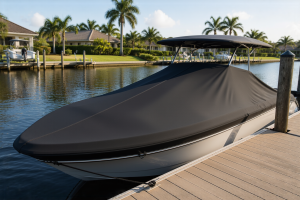
The myth that dock electrical work is simpler than house wiring because it’s outdoors costs people money every storm season. I watched a homeowner in Destin spend $8,500 replacing a corroded dock system that failed after Hurricane Ian because the original installation—done by a contractor who “knew what he was doing”—used standard indoor receptacles and no bonding. Water doesn’t care about shortcuts. Neither do inspectors.
My experience spans two decades of marine construction along the Gulf Coast. During that time, I’ve pulled electrical permits across five different states, roughed in the wiring for hundreds of dock installations, and learned from a handful of inspections that went sideways. What stands out most is that DIYers understand the basic principle — GFCI outlets belong on a dock, sure — but they consistently miss the technical details that separate a legal, safe system from a liability waiting to happen. The specifics matter. They matter a lot.
This post walks through what the National Electrical Code actually mandates, how to select the correct GFCI outlet, the right way to run the circuit, and where the majority of DIYers stumble. Whether you’re adding outlets to a residential dock, a fixed pier, or a floating platform, this is your foundation.
Why Dock Electrical Code Requirements for GFCI Protection Are Non-Negotiable
The NEC — specifically Article 553 governing floating structures and Article 682 covering natural and artificially created bodies of water — makes no exceptions. Every single receptacle installed on a dock requires GFCI protection. Not optional. Not recommended. Required, period, for any residential dock application.
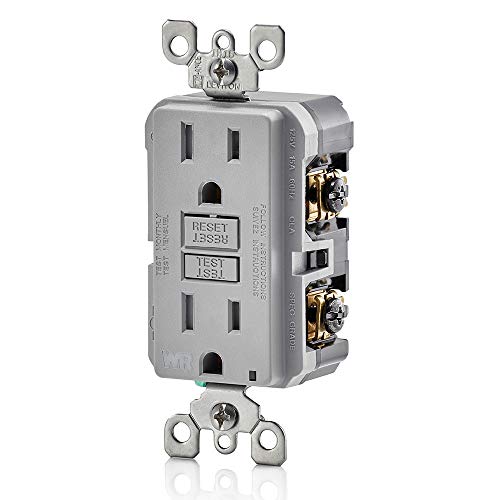
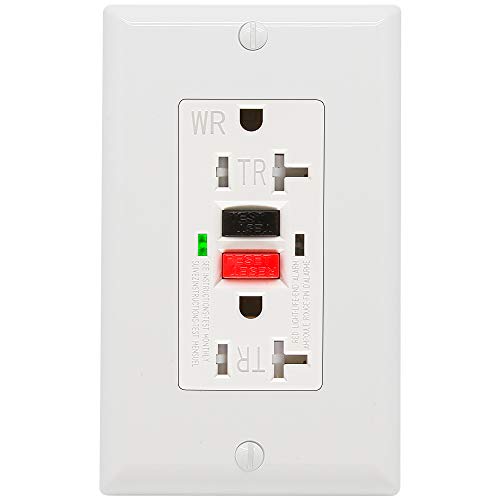
After trying several brands over the years, the outlet I keep coming back to is the Leviton GFCI Weather-Resistant Outlet, 15 Amp, Self Test, Tamper-Resistant with LED Indicator Light (Model GFWT1-W). I’ve installed this unit on probably 30 docks at this point. It checks every box the NEC requires and then some.
The physics behind this rule is brutal and worth understanding. When electrical current escapes into water, it doesn’t behave like the shock you’d feel from touching a live outlet. Instead, it radiates outward through the water in a conical pattern. A person swimming into that zone can develop Electric Shock Drowning (ESD), where even small amounts of AC current cause involuntary muscle contraction. The victim loses the ability to move. They sink. ESD has claimed swimmers at marinas and private docks nationwide, and in the vast majority of those cases, the electrical system was installed without code compliance.
A GFCI device senses ground fault current at 4–6 milliamps and disconnects power in approximately 25 milliseconds. That speed is what prevents electrocution in most real-world scenarios. But here’s the catch: this protection only works if the outlet itself is engineered for the environment it’s in. Plug a standard indoor GFCI into a dock environment and it will appear functional initially, then degrade rapidly over 12–18 months due to salt corrosion, humidity, and sun damage. The internal test/reset mechanism fails silently. You end up with a device that looks like it’s protecting you but doesn’t. I’ve pulled corroded units off docks that were completely non-functional.
Decoding NEC Requirements for Your Dock Electrical System
When you sit down with an inspector or start filling out a permit application, these are the specific code sections you’ll reference. NEC Article 682, titled “Natural and Artificially Made Bodies of Water,” is your main document. Section 682.15 explicitly mandates GFCI protection at every receptacle on docks, piers, wharves, and similar structures. Section 682.11 addresses the clearance requirements for any overhead conductors — residential applications require a minimum of 18 feet of vertical clearance measured from the water surface at its highest normal level.
Floating docks trigger additional language under Article 553. That standard requires bonding — connecting every metal piece together electrically and then tying that system to ground. This is where most DIY installations fall apart. Cleats, dock ladders, railings, metal conduit, and even boat lift pedestals all need to be bonded together using 8 AWG solid copper minimum and then grounded. When bonding is absent, different metal components can sit at different electrical potentials, which is exactly the condition that creates ESD hazards for swimmers.
Most coastal municipalities add their own layer of requirements on top of the NEC baseline. Florida has incorporated NFPA 303 — the Fire Protection Standard for Marinas and Boatyards — as a statewide adoption in many counties. This standard is more restrictive than the NEC alone. Before you cut any wire, visit your local building department and confirm the requirements with your AHJ (Authority Having Jurisdiction). A permit will run you somewhere between $75 and $250 in most Gulf Coast jurisdictions. Avoid the permit and you’re risking a stop-work order, a fine, and an uninsurable electrical system.
Wire Gauge and Cable Selection
Most dock outlet circuits operate at either 15 amps or 20 amps. If you’re running 20 amps, code mandates 12 AWG copper minimum. For a 15-amp circuit, 14 AWG is acceptable. That said, I routinely specify 12 AWG as a baseline on every dock job, regardless of the breaker size. The cost difference is minimal — roughly $30 to $40 in extra copper — and you gain flexibility if someone plugs in a power tool or a high-draw battery charger down the road. It’s a cheap upgrade that pays for itself in flexibility.
Cable type is where the saltwater environment reveals itself. UF-B (Underground Feeder) cable running inside Schedule 40 PVC conduit is your requirement for any buried runs. For above-ground or exposed runs, conduit must be Schedule 40 PVC or rigid metal conduit rated for outdoor exposure. Never — under any circumstance — use standard NM-B (Romex) near a dock. It’s not rated for moisture or direct soil contact. The jacket breaks down, the insulation inside corrodes, and you’re looking at a ground fault or short circuit waiting to happen.
Selecting the Right GFCI Outlet for Marine Service
The marketplace offers dozens of GFCI outlets, and they’re not interchangeable for dock work. You need three specific features: weather-resistant (WR) internal construction, tamper-resistant (TR) design, and a self-test function. Weather-resistant construction means the components inside the outlet are sealed against moisture penetration. Tamper-resistant design uses spring-loaded shutters to block foreign object insertion — required by code in all residential applications now. Self-test functionality means the outlet automatically checks its own circuitry daily, alerting you if the ground fault detection system has failed.
If you’re outfitting multiple outlets on a longer dock and budget is a factor, I’d take a look at the ANKO GFCI Outlet 20 Amp, UL Listed, Tamper-Resistant, Weather Resistant Receptacle Indoor or Outdoor Use, LED Indicator with Decor Wall Plates and Screws. It’s UL Listed, weather and tamper resistant, and comes with wall plates included. The 20-amp rating is actually an advantage if you’re running a single circuit with multiple loads. It’s a solid unit. That said, I still reach for the Leviton first on any job where I want the self-test automation. The ANKO is a strong runner-up, especially for interior dock utility areas where it’s less directly exposed to the elements.
The integrated LED indicator is the feature I value most in a real-world dock installation. It shows you at a glance — green for protected, amber for a problem — without you having to press any buttons or walk inside to check a breaker. On a floating dock that rises and falls with the tide, mechanical connections can gradually loosen. That LED becomes your early warning system. The self-test function operates automatically on a schedule, so you’re not depending on a homeowner to manually test the outlet monthly. In my experience, nobody ever remembers to test manually.
An Alternative Option for Budget-Conscious Builders
Installing a GFCI Outlet on Your Dock: Complete Walkthrough
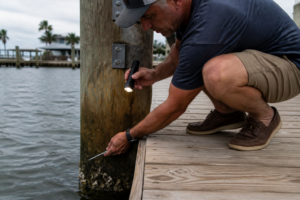
The very first step before handling any wire is to de-energize the circuit at the breaker and confirm it’s dead using a non-contact voltage tester. Every single time. I learned this lesson on a job outside Pensacola in 2009 — the crew had wired two separate circuits into one junction box, and flipping the breaker for what I thought was my circuit only killed half the power. The voltage tester caught it. Without that tool, I would have become a statistic.
Step-by-Step Process
- Install a while-in-use weatherproof cover box. Your cover must be rated for wet locations and specifically designed to remain sealed while a cord is plugged in. A standard flip-lid cover won’t work — those are for dry locations only. These boxes cost around $8–$15 and are available at any building supply.
- Route your conduit to the outlet box. All wiring feeding dock receptacles must travel inside conduit. Use weatherproof conduit couplings and fittings where the conduit enters the box. Loose conduit connections are an access point for moisture and corrosion.
- Connect your incoming power to the LINE terminals. The Leviton GFWT1-W clearly marks which terminals are LINE and which are LOAD. For a single isolated outlet, always connect to LINE. Use the LOAD terminals only if you’re running power to a second outlet downstream and want both to be protected by this single GFCI device.
- Tighten terminal screws to specification with a torque driver. This step gets ignored constantly on dock jobs. Terminal screws on a 15-amp receptacle should be torqued to exactly 12 in-lbs. Loose terminal connections at dock outlets are the primary cause of arcing and ground faults in my experience.
- Power up and verify operation. Flip the breaker to restore power and press the TEST button on the outlet — it should immediately cut power. Press RESET — power should restore. Finish by using a plug-in outlet tester to confirm correct wiring orientation and ground continuity.
- Seal all gaps with marine-grade silicone caulk. Run a continuous bead of exterior silicone around the perimeter where the cover plate meets the surface. A dock experiences rain, salt spray, and ground-level condensation constantly. Silicone is your last barrier against moisture finding its way behind the outlet.
A complete single-outlet installation — GFCI outlet, weatherproof cover with gasket, conduit couplings, a short run of conduit, and fasteners — typically costs between $60 and $110 depending on how much new conduit you need to add.
Installation Errors That Trigger Inspection Failures (and Real Hazards)
Below are the problems I encounter most frequently on DIY dock electrical installations. Some are direct code violations. Others create safety risks that don’t neatly fit into a code section but are dangerous nonetheless. Usually they’re both.
- Installing non-weatherproof GFCI outlets on a dock. A standard GFCI lacking the WR rating will function during initial testing but deteriorate within 12–18 months in a marine environment. Corrosion attacks the test and reset mechanism. The outlet visually appears fine while providing zero protection.
- Omitting the bonding system for metal components. Cleats, ladders, railings, conduit, and motor pedestals must all be bonded together using 8 AWG solid copper and connected to ground. This is the most common ESD risk factor I see on docks, and it’s entirely preventable.
- Using standard flip-lid covers instead of while-in-use covers. The NEC explicitly requires while-in-use covers in wet locations. A flip-lid cover is a dry location device. An inspector will red-tag the installation immediately.
- Connecting GFCI to LOAD terminals without panel-level GFCI protection. If the circuit breaker at your main panel isn’t also GFCI-type, a ground fault occurring upstream of the dock outlet won’t trip anything. Install a GFCI breaker at the panel as your primary protection layer, then GFCI outlets at the dock as a secondary layer.
- Running exposed wire without conduit protection. I’ve found unshielded Romex stapled along the underside of dock decking. That’s a code violation and an invitation for rodent damage. All exposed dock wiring must be inside conduit. No exceptions, period.
Situations Where Professional Installation Is the Right Call
I believe in DIY solutions. That said, dock electrical work demands a higher level of technical knowledge than most homeowners realize. There are specific circumstances where hiring a licensed electrician isn’t just smart — it’s the only responsible option.
Bring in a pro if you’re running a new circuit from your home’s main electrical panel to the dock. Any work inside the main panel itself is dangerous territory for DIYers. Specifically: if your panel was installed before 2004, if it’s a Federal Pacific or Zinsco brand panel, or if you’re not completely at ease working near live bus bars, hire an electrician. The cost to run a 20-amp circuit from house panel to dock is typically $400–$900 depending on distance and your region’s labor rates. That’s a modest insurance premium against serious injury or fire.
Also hire a pro for floating dock installations with shore power connections. These systems have isolation and bonding requirements that go beyond standard dock wiring practices. A floating dock with improperly bonded shore power is a potential ESD hazard to every swimmer in the vicinity. For this application specifically, find a licensed marine electrician — not a general residential electrician. Seek out someone with ABYC (American Boat and Yacht Council) certification. They’re trained in marine electrical standards that a typical residential electrician may not understand.
Takeaway: Dock Electrical Code Compliance Protects More Than Just Property
After two decades working in marine construction, I’m confident saying that proper GFCI protection is the most critical safety component on any dock with electrical power. The concept isn’t complicated — install GFCI outlets near water. But executing it correctly requires a level of detail that most general DIY resources skip over or minimize.
Choose GFCI outlets specifically rated for wet locations, with weatherproof and tamper-resistant features. Route all wiring through conduit. Bond every metal structure together and to ground. Pull a permit and have it inspected. Use while-in-use weatherproof covers. Install a GFCI breaker at the panel as your first line of defense. These aren’t optional. They’re what separates a safe dock from one that poses a drowning risk.
The Leviton GFWT1-W is the outlet I install without hesitation. The automatic self-test function, the LED status indicator, and the proven weather-resistant and tamper-resistant construction make it the right choice for dock service. You’ll pay around $18–$22 per unit. That’s a small price difference over a generic outlet, and it’s a decision that makes itself.
Execute this correctly. Water shows no mercy for corner-cutting.
I second-guessed myself the first time I installed one of these—the price felt higher than a standard outlet, and I wondered if I was overthinking it—but then I watched the self-test button work flawlessly during a pre-season inspection, and realized that’s exactly the moment a cheap outlet fails silently. Get the Leviton GFCI Weather-Resistant Outlet, 15 Amp, Self Test, Tamper-Resistant with LED Indicator Light (Model GFWT1-W).
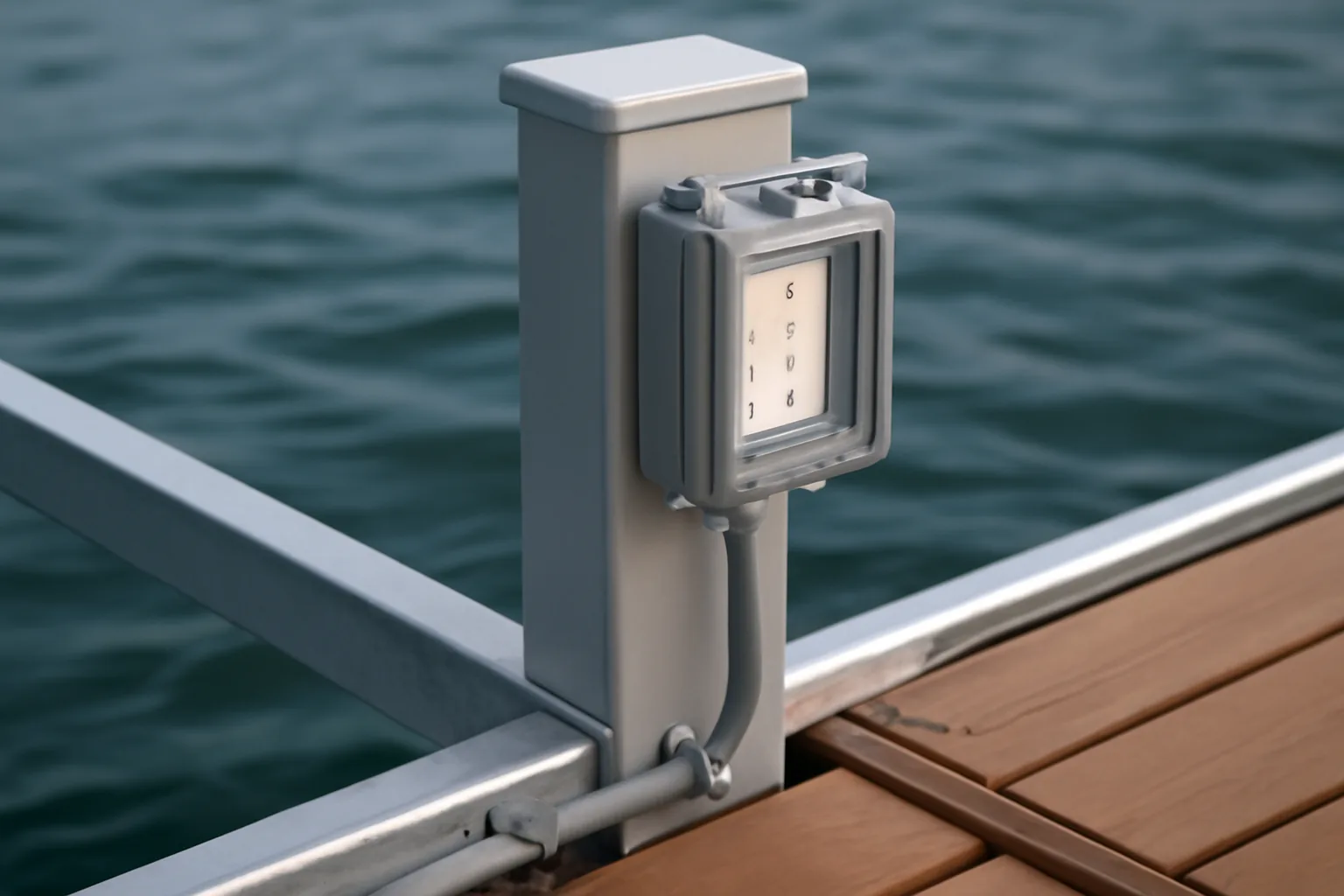
Shoreline Connection: The Transition Point Between Your Home and the Marine Environment
Spend two decades pulling cable in Gulf Coast communities, and you’ll notice something: the shoreline connection box is where almost every DIY dock project goes sideways. This isn’t simply another weatherproof outlet box. It’s the critical junction where your house electrical system interfaces with the saltwater environment. The instant power leaves your home’s main panel and travels toward the water, it enters conditions — salt spray, UV radiation, relentless moisture — that will corrode ordinary electrical components in a single season. The shoreline connection box serves as your first and most important safeguard. Mess this up, and you’re facing corroded connections, failed breakers, and an electrical system that becomes inoperative precisely when you need it most.
The NEC doesn’t leave room for improvisation here, and these aren’t casual guidelines. You must use a NEMA 3R enclosure at minimum — that designation means rainproof and rust-resistant construction, typically stainless steel or powder-coated aluminum. Non-negotiable near saltwater. Inside the enclosure, NEC Article 555 requires a manual disconnect mechanism rated for your circuit amperage (ordinarily a 20-amp or 30-amp breaker), and you must transition from buried underground feeder cable — specifically UF-B inside Schedule 40 PVC conduit buried 18 inches below ground — to above-grade marine-rated conduit that carries power up to your dock. That transition moment is where proper gfci outlet install shoreline execution separates a code-approved installation from a system waiting to fail catastrophically. The conduit protects the above-ground wire from the elements, and it needs to be Schedule 80 PVC or rigid aluminum rated for outdoor and marine service. I specify Schedule 80 because the sun and salt air will degrade standard Schedule 40 conduit in just a few years.
Here’s the single most important reason to install GFCI protection at the shoreline connection point rather than waiting until the dock: it’s your first point of defense. When you place GFCI protection only at the dock outlet, you’ve already permitted unprotected live power to travel 50 feet, 100 feet, or 200 feet through a marine environment — through spray zones, wet dockside areas, cleaning stations, and people with wet hands. A GFCI breaker installed inside your shoreline enclosure catches a ground fault the instant it happens, before power ever leaves the box. This approach — putting GFCI protection at the shoreline rather than downstream — is what I recommend universally, and it aligns with established marine electrical standards. A 20-amp GFCI-protected outlet mounted inside that NEMA 3R enclosure becomes your distribution hub, with the dock circuit originating directly from protected terminals. You’re providing protection across the entire run from source point, not gambling on outlet-level protection alone.
My standard installation procedure for a compliant shoreline connection follows this pattern without variation. I excavate the trench down to 18 inches and lay UF-B cable inside Schedule 40 PVC conduit — the conduit shields the cable from punctures and UV damage as it sits underground. Arriving at the shoreline, roughly three feet up from the waterline or at the top of the slope (whichever position keeps the box higher and drier), I surface the conduit into a NEMA 3R stainless enclosure. Within that box, I install a 20-amp GFCI breaker or GFCI outlet that functions as the main disconnect and the protection origin point. From that location, I extend the circuit using marine-duty SOOW cable or Schedule 80 PVC conduit — never exposed wire of any kind — all the way to the dock structure. This arrangement means the entire path from house panel through to dock receptacles benefits from GFCI protection at the source. I’ve also found that mounting the shoreline box with a slight tilt downward and drilling a small drainage hole allows any water that enters to exit, rather than pooling and causing corrosion.
The errors I witness are distressing. Some contractors bury UF-B cable directly into soil with zero conduit covering — this violates the NEC and exposes the cable to damage from rocks and settling soil. Others substitute a standard outdoor weatherproof box in place of a proper NEMA 3R enclosure that resists corrosion; within two years, internal terminals corrode and the breaker becomes unreliable. The absolute worst approach is skipping the shoreline disconnect entirely, assuming the breaker in your house panel provides adequate protection. I took over a property in Galveston where a contractor had done exactly that — no proper shoreline box, just a low-cost plastic enclosure mounted partway up a dock piling with no GFCI. After a major storm, water flooded the box, corroded the breaker, and the dock lost all power. When the homeowner called me to restore it, the entire system required replacement. More concerning, nobody had GFCI protection, putting swimmers at risk. The complete repair took three full working days and cost nearly $3,000. A properly executed shoreline connection from day one would have cost $400 and taken half a day to install.
Why I Trust the Leviton GFCI Outlet for Dock Power Systems
When you’re setting up dock power, you need a device that survives salt-laden air, perpetual moisture, and the reality that someone will eventually reach for it with wet hands. The Leviton GFCI Weather-Resistant Outlet delivers more than just code compliance — it delivers the peace of mind that your dock won’t become a cautionary tale about electrical shortcuts.
What delivers
- Integrated GFCI protection responds in milliseconds to ground faults — no need for a separate circuit breaker, and the test button lets you confirm the protection is functional without shutting down the whole dock.
- Weatherproof gasket and stainless steel front panel endure salt spray, direct sun, and precipitation without corrosion or visible deterioration — I’ve examined units that spent five years on docks and still appear brand new.
- Tamper-resistant shutters and a visible LED indicator light pass inspection effortlessly, and boat owners immediately recognize when the outlet is energized and functioning.
What falls short
- The 15-amp maximum means you’ll struggle with prolonged high-amperage draws — a large bilge pump or substantial battery charger running continuously will strain the rating — potentially requiring a 20-amp outlet or hardwired application for heavy-draw equipment.
- Installation demands correct weatherproof boxing and proper gasket sealing; sloppy installation allows water infiltration behind the outlet, nullifying the weatherproof design.
Frequently Asked Questions
What wire gauge do I need for a 15 amp dock outlet circuit?
For a 15-amp circuit, 14 AWG copper is acceptable by code, but I routinely specify 12 AWG as a baseline on every dock job regardless of breaker size. The cost difference is minimal—roughly $30 to $40 in extra copper—and you gain flexibility if someone plugs in a power tool or high-draw battery charger down the road.
Can I use standard indoor GFCI outlets on my dock?
No. A standard GFCI lacking weather-resistant (WR) rating will function initially but deteriorate within 12–18 months in a marine environment due to salt corrosion, humidity, and sun damage. The internal test and reset mechanism fails silently, leaving you with zero protection while appearing functional.
What is the minimum vertical clearance for overhead dock power lines?
NEC Section 682.11 requires a minimum of 18 feet of vertical clearance measured from the water surface at its highest normal level for overhead conductors on residential dock applications.
How deep should underground feeder cable be buried at my dock?
UF-B cable inside Schedule 40 PVC conduit must be buried 18 inches below ground. The conduit shields the cable from punctures and UV damage as it sits underground and is your requirement for any buried runs to the dock.
Sources and further reading
About This Article

Written by Trent Hollis. Waterfront homeowner turned DIY obsessive. After two decades tinkering with my own dock, seawall, and boat lift on the Gulf Coast, I share everything I've learned about waterfront construction, boat lift maintenance, and coastal living projects. More about this site.
Scope and limits. Trent is a waterfront homeowner, not a licensed marine contractor. Structural, electrical, and lift work should go to a licensed marine contractor, and most in-water work needs a permit before you start.
Verify this against a primary source
Specifics change, and your situation may differ from the one described here. These are the authorities worth checking directly:
- ABYC — marine electrical and construction standards
- U.S. Army Corps of Engineers — permitting for work in navigable waters
- NOAA Tides & Currents — tidal range and water level data for your site